So, I wonder sometimes how crazy the world is going to get. Don't you?
Last night I heard a news story about a teacher who is known to have abused the children in her special needs class. There were witnesses to her hitting and encouraging other children to hit a student. There was emotionally abusive language. And, I'm sure there were children who feared to go to school. Yet, the last comment made by the reporter was: "She will be reassigned in the fall." Um, what? And the parents, albeit with sadness and fear, are still sending their child off on the school bus every morning. Huh?
It is the opinion of this concerned and tax-paying parent that abusive teachers should be banned from teaching. End of story. And, if that is not happening, parents need to really reconsider sending their children off to school. If they cannot homeschool or find an alternate method, they should at least be protesting and fighting a system that would allow "reassignment."
When I was growing up (oh so long ago), it seemed that schools were at least trying to work in concert with parents to help PROTECT the children in their care. But, these days, I hear more about teachers molesting kids, or having affairs with kids, or selling drugs to kids than I do about scholastic achievement or Teachers of the Year. Schools aren't always [I am certainly not indicting ALL schools] protecting students' bodies. And they really aren't protecting their minds -- their innocence or their emotions.
The agenda seems to have changed drastically. Here is a letter I recently sent off to a local public school regarding a show they put on. You can glean the details and see what I mean! [I have slightly changed the wording for better reading here. The attachment alluded to can be found here: http://www.westsidestory.com/site/level2/lyrics/krupke.html ]
July 2012
Dear Principal of a local Public High School:
I recently attended a performance of the choirs and string orchestra of your school. Last May, your students put on “The Show Must Go On!”
This was the first time I had attended a high school performance in some time. I was very surprised by what I saw. The overall focus of the show seemed not to be so much on the singing (I could tell because the kids sang very softly and did not enunciate clearly enough to be heard and understood) as on the “performing.” Much of the performing included dancing and a few costumes that I personally found overly-sensual.
High-schoolers are generally aged around fourteen to seventeen. At those ages, sexual behavior of any kind is illegal (not to say “immoral”). I had to wonder why sexual behavior is being promoted in high school music productions? I saw a whole group of young girls allowing a whole group of young boys the opportunity to run their hands down their arms and sides. (There is a way to give the appearance of stroking without actually stroking – it is called “acting.” These students did not learn the difference!) I saw girls jiggle their “assets.” I saw girls and boys paired off at every turn. And, even more surprisingly, I saw boys with boys and girls with girls being paired off in hugging embraces, throughout the show. I had heard that homosexuality was rampant in schools these days, but I did not realize it was being so blatantly promoted (not “tolerated” – but, “promoted”) by the administration. Homosexuality is a sexual act, just like any other sexual act. It is illegal for minors. So, I wonder why it would be encouraged as a part of your music curriculum?
The song choice included a number from West Side Story called “Gee, Officer Krupke.” I had to wonder, why that particular song? It does have a fun beat, but have you read the lyrics? I have enclosed a copy for you. It is disrespectful to parents (calls Dad a “bastard”) police, and all forms of authority, and uses bad language (SOB, damn, and “Krup you” is a thinly veiled “F.U.”). It seemed unnecessarily provocative. If we don’t want our children to act in these ways, I wonder why we promote them as fun in our school plays?
I was offended off and on throughout the entire show. I hope that you will reconsider what you allow and don’t allow on stage in future productions. I hope that you will encourage your teaching staff and your students to focus on the music and the acting, rather than the sexual agenda.
Thanks for listening.
Friday, July 20, 2012


Monday, July 9, 2012
Lightning Literature
"It was better than I thought it would be." That is high praise for Lightning Literature & Composition coming from my ninth grader!
Lightning Lit is a series of workbooks seeking to teach "college-level composition skills by responding to great literature." They offer full-year courses for 7th and 8th grade literature (student guide, teacher guide, workbook - $20/each). They also offer the following one-semester courses for 9th through 12th grades:
9th-12th
American Lit: Early to Mid 19th Century
American Lit: Mid to Late 19th Century
Speech
10th - 12th
British Lit: Early to Mid 19th Century
British Lit: Mid to Late 19th Century
11th - 12th
British Lit: Medieval
American Christian Authors
British Christian Authors
Shakespeare: Tragedies & Sonnets
Shakespeare: Comedies & Sonnets
World Lit 1
World Lit 2
Each of these comes with a student guide ($29.95) and a teacher's guide ($2.95). There is bundle pricing available, including the pack of all the necessary books, and also discounts for orders of five or more of one title.
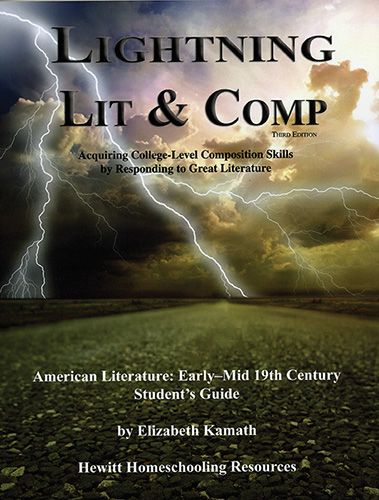
Hewitt Homeschooling provided me with a student guide and a teacher's guide for American Lit: Early to Mid 19th Century. As a former English major, I really liked the choices of literature. These are definitely "living books" (or selections). Some authors covered are: Washington Irving, Frederick Douglass, Edgar Allen Poe, Herman Melville and Henry Wadsworth Longfellow.
Since it is summer vacation, I have to say, we are still working through Unit 1 -- The Autobiography of Benjamin Franklin. In the first chapter of the textbook, the author, Elizabeth Kamath gives a good one-page lead-in intro about Franklin's life and then another page on Pre-19th Century Literature in general. After reading the selection, which I downloaded as a free e-book, I asked my kids the comprehension questions. These are broken into sections of 2 to 7 questions each and go along with the section titles of the book. In retrospect, in future I will give the questions before the reading. My kids were surprised to be asked the names of Franklin's uncles and the number of his siblings and half-siblings (16).
After the comprehension questions comes the section on writing, directly related to the reading. Since the work is an autobiography, the 5-page lesson is about autobiographies and what kinds of details youo might include if you write your own. Following the lesson, there are 8 writing exercises which I thought were quite varied and appealing to students of differing interests and aptitudes. I will be having my kids write several of them -- the author suggests picking two for each selection.
[As an interesting side-note, as I was pre-reading the selection, I came across the passage from which the IEW-style was inspired: where Ben Franklin takes an existing writing, takes notes, re-writes, etc.]
In the Introduction to this course, the author discusses how/why to read literature and poetry. She gives detailed descriptions of figurative language terms (similie, metaphor, personification) and sounds (alliteration, assonance, rhythm, etc.). She goes on to describe how to write a paper, including topic statements, brainstorming, research and outlines. These are quick but thorough passages, probably review for most students at this level. The Appendix offers discussion questions and project suggestions, additional reading and schedules. The author also has suggestions for vocabulary notebooks, reading journals, and more.
Although much of this book could be self-taught, I always think that literature needs discussion, so don't leave your student entirely on their own. Discuss what they have read and what they have written. The Teacher's Guide gives grading tips and checklists for papers, schedules (finish in 1 semester or 1 year), answers to composition questions, and additional writing assignments.
I am excited about adding this literature course into our schedule and will plan to order more in the series! Be sure to check it out for yourself here.
Disclaimer:
I was provided a free copy of the student and teacher guide for Lightning Literature & Composition's American Lit: Early to Mid-19th Century in exchange for an honest review. You can see more reviews from the TOS Crew Members here.
Lightning Lit is a series of workbooks seeking to teach "college-level composition skills by responding to great literature." They offer full-year courses for 7th and 8th grade literature (student guide, teacher guide, workbook - $20/each). They also offer the following one-semester courses for 9th through 12th grades:
9th-12th
American Lit: Early to Mid 19th Century
American Lit: Mid to Late 19th Century
Speech
10th - 12th
British Lit: Early to Mid 19th Century
British Lit: Mid to Late 19th Century
11th - 12th
British Lit: Medieval
American Christian Authors
British Christian Authors
Shakespeare: Tragedies & Sonnets
Shakespeare: Comedies & Sonnets
World Lit 1
World Lit 2
Each of these comes with a student guide ($29.95) and a teacher's guide ($2.95). There is bundle pricing available, including the pack of all the necessary books, and also discounts for orders of five or more of one title.
Hewitt Homeschooling provided me with a student guide and a teacher's guide for American Lit: Early to Mid 19th Century. As a former English major, I really liked the choices of literature. These are definitely "living books" (or selections). Some authors covered are: Washington Irving, Frederick Douglass, Edgar Allen Poe, Herman Melville and Henry Wadsworth Longfellow.
Since it is summer vacation, I have to say, we are still working through Unit 1 -- The Autobiography of Benjamin Franklin. In the first chapter of the textbook, the author, Elizabeth Kamath gives a good one-page lead-in intro about Franklin's life and then another page on Pre-19th Century Literature in general. After reading the selection, which I downloaded as a free e-book, I asked my kids the comprehension questions. These are broken into sections of 2 to 7 questions each and go along with the section titles of the book. In retrospect, in future I will give the questions before the reading. My kids were surprised to be asked the names of Franklin's uncles and the number of his siblings and half-siblings (16).
After the comprehension questions comes the section on writing, directly related to the reading. Since the work is an autobiography, the 5-page lesson is about autobiographies and what kinds of details youo might include if you write your own. Following the lesson, there are 8 writing exercises which I thought were quite varied and appealing to students of differing interests and aptitudes. I will be having my kids write several of them -- the author suggests picking two for each selection.
[As an interesting side-note, as I was pre-reading the selection, I came across the passage from which the IEW-style was inspired: where Ben Franklin takes an existing writing, takes notes, re-writes, etc.]
In the Introduction to this course, the author discusses how/why to read literature and poetry. She gives detailed descriptions of figurative language terms (similie, metaphor, personification) and sounds (alliteration, assonance, rhythm, etc.). She goes on to describe how to write a paper, including topic statements, brainstorming, research and outlines. These are quick but thorough passages, probably review for most students at this level. The Appendix offers discussion questions and project suggestions, additional reading and schedules. The author also has suggestions for vocabulary notebooks, reading journals, and more.
Although much of this book could be self-taught, I always think that literature needs discussion, so don't leave your student entirely on their own. Discuss what they have read and what they have written. The Teacher's Guide gives grading tips and checklists for papers, schedules (finish in 1 semester or 1 year), answers to composition questions, and additional writing assignments.
I am excited about adding this literature course into our schedule and will plan to order more in the series! Be sure to check it out for yourself here.
Disclaimer:
I was provided a free copy of the student and teacher guide for Lightning Literature & Composition's American Lit: Early to Mid-19th Century in exchange for an honest review. You can see more reviews from the TOS Crew Members here.
Monday, June 11, 2012
MyMathLab - More than I Need!
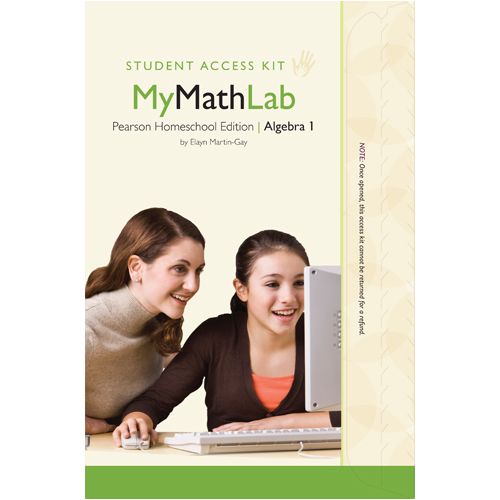
Before I get further into this review, let me digress for just a moment. We all know that homeschooling does not always run the way we plan. Life can get in the way. Last month, I unexpectedly had to go in for surgery and then spend several weeks recovering. All that went very well (praise the Lord) but, like often happens, those last 2 or 3 weeks of school slid a bit due to doctor appointments and such. We were also in the midst of our annual homeschool convention, piano recital, dance recital practices and more. (I am so thankful for a helpful husband and children!!!) By the time we got to this review, we were supposed to be on summer vacation and it took some bribery to get as much done as we did.
All that to say, I want you to know up-front that we only spent about a week with this product, a little more than a half-hour a day. I apologize to Pearson, TOS and you! And then, my attitude was one of: "Let's jump in and flail around and see what we can figure out." It wasn't very systematic and I did not seek any help. That is my normal M.O. in life and that is the process we used. Because of that, the first four days were a bit confusing, but on the fifth day, light began to dawn and we were getting the hang of things!
What made it confusing for me, I think, was that it had so much to offer! That sounds crazy. But, it felt like a program that had been developed for "regular" school classrooms (30 kids in a class) and then marketed to homeschoolers. You had options to create and add your own lessons, add due dates to all the assignments, create your own assignments, quizzes, tests, and even add videos. There was a calendar to track assignments. You could keep track of a plethora of students, their progress and achievements. What I like to do with math is hand the text (or video and text) to the child, let them read the instructions, let them do the problems, and then only come to me with questions. It is more like tutoring. We do not generally do quizzes, tests, grading, etc. (Did I hear a loud gasp? I know some of you are nodding and some of you are shaking your heads. It is okay. I understand.) So, all those nifty calendars, assignment sheets and things would be wasted on me.
Anyway, we spent a lot of time just trying to figure out where to start. There are letters to parents and students that say they will tell you where to start, but they were not clear and we were lost for a bit.
As we finally got into the student side, we found that you go to the website, sign in, click on your math course, then click on the first lesson (called "practice units"). There, you find a "text book" page of instruction. As you read, you have tools for highlighting important sections or thumb tacking notes. The cool part about the notes was they could be added by the student or the teacher. So, you could say "This will be on the test." Or, "Honey, I just wanted to take a minute in your stressful day of studying to tell you I love you!" Or "Don't forget this rule!" Or even "After this page, go clean up your room!" (LOL) I really liked the notes, but thought they could size the thumb tack a little smaller. You have the option of showing/hiding the notes as you read.
My daughter, Holly, preferred the text over the video - but that's her learning style. She felt that some of the questions were hard at first, but most of the confusion seemed to be in how it was all being scored. Once she figured that out, things felt more simple and she was getting in the groove.
Along the left side of the "textbook page" are listed the objectives for the lesson. At the top left, you can choose to watch a video with an instructor explaining (using a white board) the lesson you just read. You can watch the whole lesson, or you can watch individual sections by clicking the video icon by each objective. The teacher was nice and perky -- okay, she made me think of a kindergarten teacher -- but she was clear and understandable. (Holly did not find her overly perky like I did.) The videos were nice and clear but sometimes we ran into trouble if we tried to fast forward a bit, the sound would sort of double up on itself or the video didn't seem to change at all. No trouble if you watch from beginning to end.
There is a nice and clearly presented video showing you how to answer questions -- they have a special way of filling in fractions or square roots or other special situations. What we found most confusing at first was just where to start, but we figured it out, so let me share! I'll focus on lesson 1.4. The video for that lesson was 24 minutes. You can close-caption the video in English or Spanish and then play it with or without sound. So, first you read the text and/or watch the video lesson. You get a point for watching the video. My daughter, of course, found the loophole in that you get the point for just clicking on the video. If you close it down 2 seconds later, you still get the point as though you watched the whole thing!
Then you move to the practice questions. For this lesson, it said there were 37 questions -- even though there were only 35. (It could be that they meant points, because you get points for videos and such so that might change the number.) You can see your percent correct and the number you have completed so far as you go along. In the question box, there is a clearly worded question or equation to solve. Below the line, there is space for you to fill in the answer. The big reminder is that if you use fractions, always simplify first or you will get it wrong! I thought the question/answers were very well done.
So, you work the problem and fill in the answer for number one. You can click "Check Answer" to get immediate feedback. The responses are many and nicely varied, including: "good job", "well done," "fantastic," and "nice work!" If you get it right, you get a point and can move on. If you get it wrong, you can re-do the same problem right then. The feedback for a wrong answer is also somewhat varied, but says something like "Sorry! Your answer is incorrect." Then there is a reminder rule given of how to solve the problem. I purposely put in a wrong answer at one point (okay, I really got it wrong!) to see the response. The response was a repetition of the rule for the lesson in using exponents, but did not address what I messed up which was the decimal point.
If you feel you need continued practice, you can then select "Choose Similar Example" and work another problem of the same type. If you are confused, you can click on "Help Me Solve" for a detailed explanation. Or choose "View Example" or "Text" or "Ask Teacher" or "Print." We only tried the first two options. If she needs to ask the teacher, I am standing right next to her.
During the 35+ problems for this lesson, I found it odd that two were repeats. I don't know if this was done on purpose, or if there is a random list of examples, or if there was a glitch. Either way, those 2 were really easy because Holly just looked at the scratch paper where she had worked them the first time!
You must get a 90% on each lesson in order to pass onto the next lesson. I think this is where some major confusion came in during the first couple of days. We are used to texts -- and even video instruction -- where you can flip the pages or move around at your own leisure and decision and look at other areas of the "book." This program appears to be locked down (at least, I did not find a way to unlock it). When you finish the first 8 practice units, you then can take a quiz. When you pass the quiz, you can take the test, and so on. You cannot go ahead or skip around. I do like that you have to get 90% -- working toward mastery.
There were 113 assignments for Algebra I, including homework, quizzes, tests and final exams. Again, you can add more assignments, tests, quizzes, etc. at will. I could be wrong, but I thought that most homeschoolers would not use that feature very much -- unless they were previously public school teachers. I guess I can only really say that I would not use it.
After you complete your practice "homework," you can view a chart of your results for the week. You can see the number you got correct for each lesson, your score, the time spent and the date/time you completed it. The teacher, from his/her vantage point, has access to all this information as well. So, if you have specific due dates, you can make sure they were met. And, of course, the computer grades everything for you. (That is nice.)
So, again, I thought the registration process was easy. I thought the video for "how to answer" was well done. And the lesson text and videos were well done. I liked the ability to highlight or add notes to the text, but I thought otherwise there were too many bells and whistles that most homeschoolers would find superfluous -- and that meant there were a lot of confusing things to wade through in order to find the meat of the product. The instructions for what to do (how to get started) were not intuitively obvious and could be made much simpler. Once you get in there, the math seems to be solid and understandable. I would prefer more flexibility in reading/looking ahead or even trying ahead.
Pearson sells My Math Lab parent access for $30 and the student access for $49.97. You do need both according to the instruction folder. You receive access for eighteen months. You do need separate student access kits for every course. Other courses offered by Pearson are: Developmental Math, Pre-Calculus, Calculus, Trigonometry, Business Math, Statistics, Computer Math, and others. Pearson has other labs besides math -- social studies, reading, and more -- be sure and check those out too!
Disclaimer:
As a member of the TOS Homeschool Crew, I received this product free of charge in exchange for an honest review. To see more reviews of this product, click here.
Sunday, May 20, 2012
Amazing History Resource!

"The mission of Heritage History is to make old-fashioned history books, written for the enjoyment of young people, easily available."
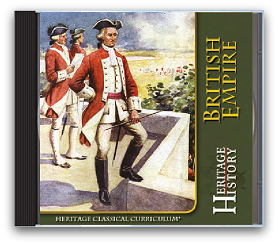
I was given a copy of British Empire to review. From the cover: This curriculum "focuses on 18th and 19th century world history, presented from a British viewpoint. Stories that highlight achievements of modern Britain, such as scientific discovery, exploration, invention and industry, and the rise of international commerce are featured, along with those that cover the regional histories of Ireland, Canada, British Africa, and East Asia."
A few of the 57 stories included are:
Struggle for Sea Power
Our Island Story - the Hanoverians
Oom Paul's People
Boy of Old Japan
Thrilling Deeds of British Airmen
The Boy's Book of Battles
Heroes of the Indian Mutiny
Captain Cook
Horatio Nelson
In the Days of Queen Victoria
Florence Nightengale
and Land of the Golden Trade
Don't some of those titles just MAKE you want to grab up the book and read it? There's more to it than just the books that have been captured and preserved. This disc also holds 50 historical maps. My son just loves to look at stuff like that!
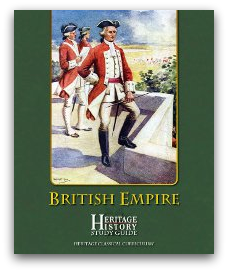
"Heritage History [also] provides pre-printed study guides to accompany each of its Classical Curriculum CDs. Each study guide includes historical maps, outline maps, time-lines, era summaries, character lists, battle dictionaries, recommend[ed] reading lists and other study aids." A huge wealth of information that would supplement any history study -- if not fulfill all of it. If you buy the CDs, you get the study guide included in .pdf form. If you just want to read the stories online, you can purchase the study guide separately pre-printed in color for $24.99 or download for $12.99.
So, for this CD, you get 57 books, 50 maps and the study guide for $24.99. What an amazing resource. The website is really well done, easy to navigate and gives you lots of "freebies" as you go along. You can easily tell what stories are geared for elementary and which are geared for "intermediate" or "advanced" readers.
There are other eras to choose from. Besides British Empire, there is:
Ancient Greece
Ancient Rome
Middle Ages & Reformation
British Middle Ages
Christian Europe
Early Modern to 20th Century
Introduction to Western Civilization
Spanish Empire
and Young Readers
If you want your kids to ENJOY history, rather than just PASS history, then take a few minutes and really check these out! I think you will be glad you did! There is a spring sale going on right now, buy 2, get one free!
Disclaimer:
As part of the TOS Homeschool Crew, I was provided a free copy of The Heritage History British Empire Classical Curriculum CD for free in exchange for an honest review.
Friday, May 11, 2012
"Every Time We Learn Something about Science..."
"...we learn something about our Creator, God!"
These words are echoed after every experiment on the Go Science videos. Presenter Ben Roy, who combines the enthusiasm of a fitness trainer with the sparkle of a magician, puts a ton of energy into teaching kids about, well, energy, but also about motion, magnetism, electricity, engineering and design. Mr. Roy "teaches science methods at the University of Tennessee at Chattanooga and is the former director of a science program on television." He also puts on mobile science shows. You can find out more about him at the Science Zone.
I was privileged to view Volumes 1 and 3 of a six-volume DVD set. I set the player to start without telling my kids what I was doing. My 13 year-old son almost immediately came over, lay down in front of the TV and began watching. My 15 year-old daughter pretended not to be too interested, but she kept peeking over the newspaper and watching as well.
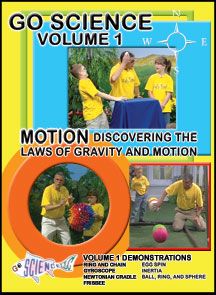
On Volume 1: Motion: Discovering the Laws of Gravity and Motion, we liked the Gyroscope experiment the best. Besides using a regulation gyroscope, Mr. Roy set a bicycle wheel spinning on a small rope. You wouldn't think it would keep steady, but it does! He explained the science behind it in simple terms, but then went on to use the gyroscope as an object lesson about how Jesus Christ helps us maintain our balance in life.
The next experiment, the Newtonian Cradle, was another favorite. Mr. Roy used a hugely over-sized version of the five clacking balls you sometimes find on people's desks. I think this was the best demonstration I have ever seen of Newton's Law of Motion: "for every action there is an equal and opposite reaction."
There were seven demonstrations on Volume 1, each averaging about 4 to 5 minutes, for a total of 30 minutes. Some other experiments were the Ring and Chain (we still can't figure that one out!), the Frisbee, the Egg Spin, and Inertia. The final experiment on that disc was the Ball, Ring and Sphere. For part of it, he used one of those crazy toys called a Hoberman Sphere to explain how atoms can be close together or far apart. That was pretty neat!
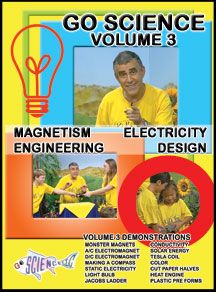 On Volume 3: Magnetism, Electricity, Engineering, Design, there were one or two experiments that would probably only appeal to the younger crowd: mixing colors, monster magnets, and making a compass -- pretty basic. But, then Mr. Roy brought out some heavy equipment like a Tesla Coil, a Jacob's Ladder, and one of those Static Electricity makers which everybody loves to watch. These would capture the interest of the older kids, plus they are things you don't generally have laying around the house!
The final discussion on that disc was about plastic pre-forms, and since he was just showing a small test tube and a 2 liter bottle and talking about how one can turn into the other, I was thinking, "This is not too exciting." But, then, he went on talking about how we are like that pre-form tube, waiting for when Jesus returns and changes our flawed sinful bodies into new, perfect, and whole ones. Then I thought, "This was the best one of all!"
Volume 3 was a longer video, almost 55 minutes. This one held 14 demonstrations, averaging 4 minutes each. Obviously, these short video segments are only supplements to use with your regular science curriculum, but I think they would make a nice visual addition to your teaching arsenal.
The suggested age-range for these videos is 6 to 14. I would probably cut that to 6 to 12. Not because the demonstrations wouldn't interest the older crowd, but because the explanations weren't detailed enough for them.

I loved how unashamedly Christian these DVDs are. You can buy the set of 6 for $47.95 or individually for $8.97/each (a savings of $6 off retail). I ordered them through Library and Educational Services which is a small Christian family company in Michigan who offers the same wholesale discounts to homeschoolers as they do to other types of schools. Be sure to check them out as well!
Disclaimer:
As a member of the TOS Homeschool Crew, I was given Volumes 1 and 3 of the Go Science videos for free in exchange for an honest review.
These words are echoed after every experiment on the Go Science videos. Presenter Ben Roy, who combines the enthusiasm of a fitness trainer with the sparkle of a magician, puts a ton of energy into teaching kids about, well, energy, but also about motion, magnetism, electricity, engineering and design. Mr. Roy "teaches science methods at the University of Tennessee at Chattanooga and is the former director of a science program on television." He also puts on mobile science shows. You can find out more about him at the Science Zone.
I was privileged to view Volumes 1 and 3 of a six-volume DVD set. I set the player to start without telling my kids what I was doing. My 13 year-old son almost immediately came over, lay down in front of the TV and began watching. My 15 year-old daughter pretended not to be too interested, but she kept peeking over the newspaper and watching as well.
On Volume 1: Motion: Discovering the Laws of Gravity and Motion, we liked the Gyroscope experiment the best. Besides using a regulation gyroscope, Mr. Roy set a bicycle wheel spinning on a small rope. You wouldn't think it would keep steady, but it does! He explained the science behind it in simple terms, but then went on to use the gyroscope as an object lesson about how Jesus Christ helps us maintain our balance in life.
The next experiment, the Newtonian Cradle, was another favorite. Mr. Roy used a hugely over-sized version of the five clacking balls you sometimes find on people's desks. I think this was the best demonstration I have ever seen of Newton's Law of Motion: "for every action there is an equal and opposite reaction."
There were seven demonstrations on Volume 1, each averaging about 4 to 5 minutes, for a total of 30 minutes. Some other experiments were the Ring and Chain (we still can't figure that one out!), the Frisbee, the Egg Spin, and Inertia. The final experiment on that disc was the Ball, Ring and Sphere. For part of it, he used one of those crazy toys called a Hoberman Sphere to explain how atoms can be close together or far apart. That was pretty neat!
The final discussion on that disc was about plastic pre-forms, and since he was just showing a small test tube and a 2 liter bottle and talking about how one can turn into the other, I was thinking, "This is not too exciting." But, then, he went on talking about how we are like that pre-form tube, waiting for when Jesus returns and changes our flawed sinful bodies into new, perfect, and whole ones. Then I thought, "This was the best one of all!"
Volume 3 was a longer video, almost 55 minutes. This one held 14 demonstrations, averaging 4 minutes each. Obviously, these short video segments are only supplements to use with your regular science curriculum, but I think they would make a nice visual addition to your teaching arsenal.
The suggested age-range for these videos is 6 to 14. I would probably cut that to 6 to 12. Not because the demonstrations wouldn't interest the older crowd, but because the explanations weren't detailed enough for them.
I loved how unashamedly Christian these DVDs are. You can buy the set of 6 for $47.95 or individually for $8.97/each (a savings of $6 off retail). I ordered them through Library and Educational Services which is a small Christian family company in Michigan who offers the same wholesale discounts to homeschoolers as they do to other types of schools. Be sure to check them out as well!
Disclaimer:
As a member of the TOS Homeschool Crew, I was given Volumes 1 and 3 of the Go Science videos for free in exchange for an honest review.
Sunday, May 6, 2012
What I'm Doing Right Now
The thing about Facebook is that people love to post what they are doing "right now." I am eating a sandwich right now. I am enjoying Thanksgiving dinner with the folks right now. I am playing a game with my son right now.
But, are you really doing those things "right now?" How can you be doing those things and typing them up at the same time? How engaged are you with your sandwich, your folks, or your kids, if you have to bend your head, look away, pick up your electronic device, and think about what to tell everyone (who really aren't that interested, by the way)?
It used to be the cell phone. We'd be out at dinner, and I'd see a couple ostensibly on a date, or a parent supposedly "spending time with their kids." But, they were cradling the cell phone and talking with someone else. Their partner or image-bearer were left rather bored and lonely.
Before that, it was the video recorder. I remember those big clunky things and the person who was behind the view-finder was literally out of the action for the day. They did not "live" that day -- they merely recorded what everyone else did.
To paraphrase Tennyson, "It is better to have lived and not recorded it all, than to have never lived at all."
But, are you really doing those things "right now?" How can you be doing those things and typing them up at the same time? How engaged are you with your sandwich, your folks, or your kids, if you have to bend your head, look away, pick up your electronic device, and think about what to tell everyone (who really aren't that interested, by the way)?
It used to be the cell phone. We'd be out at dinner, and I'd see a couple ostensibly on a date, or a parent supposedly "spending time with their kids." But, they were cradling the cell phone and talking with someone else. Their partner or image-bearer were left rather bored and lonely.
Before that, it was the video recorder. I remember those big clunky things and the person who was behind the view-finder was literally out of the action for the day. They did not "live" that day -- they merely recorded what everyone else did.
To paraphrase Tennyson, "It is better to have lived and not recorded it all, than to have never lived at all."
Tuesday, May 1, 2012
Look Up!

The heavens declare the glory of God; and the firmament shows His handiwork. Psalm 19:1
Heavens Above is a new iPad app which will help you see God's glory! My husband designed Heavens Above as a presentation of 77 space photos gleaned from Hubble Space Telescope and paired with Bible verses on the theme of God's glory. Use them in your devotional time to meditate on God's vast power, His grace, His majesty, and His creativity. Choose one picture a day, or play them all, one after another, like a slide show. You could play your favorite praise music behind the scenes to add to the mood of worship.
Heavens Above includes an amazing image index showing all 77 photos at once, plus a list of definitions to help you identify a spiral galaxy from a globular cluster. The verse index allows you to scroll through all the pictures and their Bible verses.

This is the 3rd app produced by my husband's company, Digital Worship. Click to go to the website to see this or his other apps, Dad's Prayers (a FREE devotional) and Bible Shuffle (a fun and educational game). Or, go straight to the Apple store and purchase for only $0.99!
Subscribe to:
Posts (Atom)